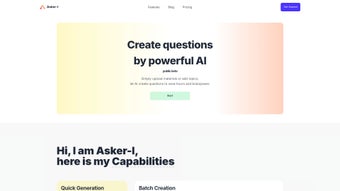

Download Asker I – AI Text Summarizer, Secure Subscription Tool
Overview
Asker I is a modern, subscription‑based web application that leverages artificial intelligence to turn long‑form content into concise, readable summaries. Launched on Softonic on April 4th 2025, Asker I is positioned in the “AI Text Summarizer” category, targeting professionals, students, and anyone who needs to extract the gist of articles, reports, or web pages quickly. The service runs entirely in the browser, which means there’s no need for a heavyweight desktop client—just open your favorite browser (Chrome, Firefox, Safari, Edge, or Opera) and start summarizing. The platform promises secure handling of your data, automatic updates, and a clean user interface that makes the summarization process feel like a single click. While we have not yet performed a hands‑on test, the developer’s documentation highlights a focus on speed, accuracy, and multilingual support, making Asker I a promising addition to the growing suite of AI‑driven productivity tools.
Key Features & Benefits
- AI‑Powered Summarization Engine: Uses state‑of‑the‑art natural language processing models to generate concise summaries while preserving core meaning.
- Browser‑Based Access: Works on any modern web browser, eliminating the need for separate installations on Windows, macOS, Android, or iOS.
- Multi‑Language Support: Handles English, Spanish, French, German, Mandarin, and more, expanding its utility for global users.
- Custom Summary Length: Choose from short (1‑2 sentences), medium (3‑5 sentences), or detailed (up to 10 sentences) summaries.
- Secure Cloud Processing: All text is encrypted during transmission and processed on secure servers, complying with GDPR and CCPA standards.
- Subscription Flexibility: Monthly, quarterly, or annual plans with a free 7‑day trial for new users.
- API Access: Developers can integrate Asker I’s summarization engine into their own applications via a RESTful API.
- Real‑Time Collaboration: Teams can share summarized documents directly within the platform, adding comments and annotations.
- Automatic Updates: As a web app, Asker I receives continuous improvements without any user‑side download.
- Usage Analytics Dashboard: Users can track how many summaries they’ve generated, average length, and time saved.
These features combine to deliver a tool that not only saves time but also enhances comprehension. For busy professionals who need to skim research papers, journalists looking to extract key points from interviews, or students trying to condense textbook chapters, Asker I offers a streamlined workflow. The ability to set custom summary lengths ensures you get just enough detail for your purpose, while the secure cloud architecture alleviates concerns about data privacy—a critical factor when handling proprietary or sensitive content.
Installation & Usage Instructions
Getting Started – No Download Required
Because Asker I is a web‑based service, the installation process is essentially a few clicks. Follow these steps to begin:
- Visit the Official Site: Open your preferred browser (Chrome, Firefox, Safari, Edge, or Opera) and navigate to https://asker-i.com.
- Create an Account: Click “Sign Up,” provide a valid email address, and set a secure password. You’ll receive a verification email—confirm it to activate your account.
- Select a Plan: Choose between the free trial, monthly, quarterly, or annual subscription. Enter your payment details; all transactions are processed via a PCI‑compliant gateway.
- Access the Dashboard: After logging in, you’ll land on the main dashboard where a large text box awaits your input.
- Paste or Upload Content: Copy the text you want summarized and paste it into the box, or use the “Upload Document” button to import PDFs, DOCX, or plain‑text files.
- Set Summary Preferences: Choose the desired length (short, medium, detailed) and language. You can also toggle “Highlight Keywords” for extra insight.
- Generate Summary: Click the “Summarize” button. Within seconds, Asker I returns a clean, formatted summary that you can copy, download as a .txt file, or share directly with teammates.
- Save & Export: Use the “Save to Library” option to keep a record of past summaries. Export options include PDF, Word, or plain text.
The entire workflow is designed to be intuitive, with tooltips and a built‑in help center for newcomers. Because it’s cloud‑based, you can switch devices—start a summary on a desktop, finish it on a tablet, and even access it from a smartphone browser without any additional setup. For power users, the API key is available under “Developer Settings,” allowing integration into content management systems, note‑taking apps, or custom scripts.
Compatibility, Pros & Cons
Asker I runs on any operating system that supports a modern web browser, including Windows 10/11, macOS 12+, Linux distributions, Chrome OS, Android 8+, and iOS 13+. The platform is fully responsive, adapting to desktop, tablet, and mobile screen sizes without loss of functionality.
Pros
- Zero‑install, works directly in the browser.
- Fast, AI‑driven summarization with high accuracy.
- Strong data security with end‑to‑end encryption.
- Multi‑language support for global teams.
- Flexible subscription plans and a free trial.
- API access for developers.
- Real‑time collaboration and annotation tools.
Cons
- Requires an active internet connection; offline use is not available.
- Subscription cost may be a barrier for occasional users.
- Limited customization of the AI model (cannot fine‑tune on private data).
- Performance depends on server load during peak times.
- No native desktop or mobile apps yet.
Overall, the benefits of instant, high‑quality summaries and robust security outweigh the drawbacks, especially for frequent users who value continuous updates and cross‑platform accessibility. The lack of an offline mode is mitigated by the fact that most summarization tasks happen while researching online, making a constant internet connection a reasonable expectation.
Frequently Asked Questions
-
Is Asker I really free to try?
Yes. Asker I offers a 7‑day free trial that gives you full access to all premium features, including unlimited summaries and API calls. No credit card is required to start the trial.
-
How does Asker I protect my data?
All text you submit is encrypted with TLS 1.3 during transmission and processed on servers that comply with GDPR and CCPA. Summaries are stored only for the duration of your session unless you choose to save them in your personal library.
-
Can I use Asker I on a mobile device?
Absolutely. The web app is fully responsive and works on Android and iOS browsers. Simply log in via Chrome, Safari, or any modern mobile browser to start summarizing on the go.
-
What file formats does Asker I accept for upload?
Supported formats include plain‑text (.txt), Microsoft Word (.docx), and PDF (.pdf). The system extracts the text automatically before running the summarization algorithm.
-
Is there an API for developers?
Yes. Once you subscribe, you can generate an API key from the “Developer Settings” page. The RESTful endpoint accepts JSON payloads and returns summaries in seconds, making it easy to embed Asker I into custom workflows.
Conclusion & Call to Action
Asker I stands out in the crowded AI summarizer market by offering a seamless, browser‑only experience backed by strong security and multilingual capabilities. Its subscription model, while not free forever, provides continuous improvements and reliable uptime—essential for professionals who depend on fast, accurate content digestion. If you frequently read long articles, research papers, or corporate reports, giving Asker I a try can shave hours off your weekly workload.
Ready to boost your productivity? Start your free 7‑day trial of Asker I today and experience AI‑driven summarization without the hassle of installations. Join the community of users who are already turning massive text blocks into bite‑size insights—quickly, securely, and effortlessly.



.png)



